Why Git exists
You've probably seen a folder like this. Report final. Report final two. Report final, really final.
Nobody knows which one is the right one, or what changed between them.
Now imagine that, but it's code. And five people are editing it at the same time.
That's the problem Git solves.
What Git keeps track of
Git is a tool that keeps track of every change to a project. Who changed what, when, and why.
It's used by almost every software team in the world. And once you understand a few simple ideas, it stops being scary.
A commit is a snapshot
Let's start with the most important one. The commit.
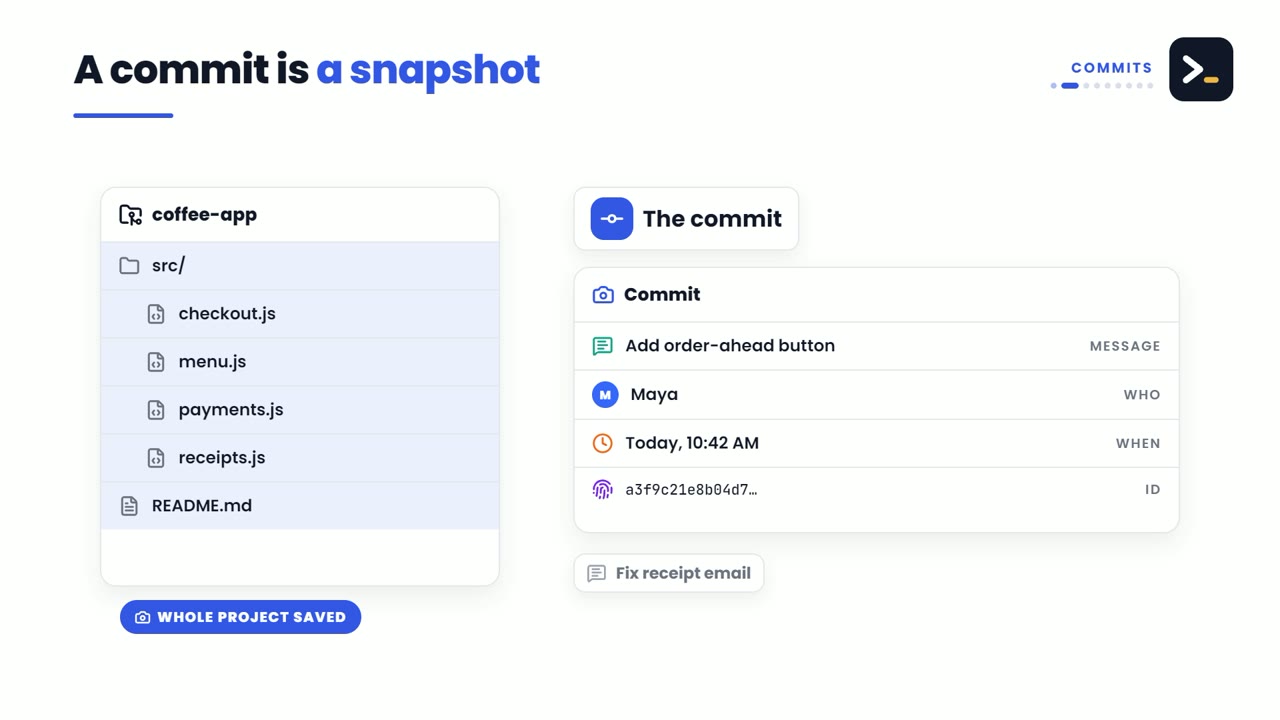
A commit is a saved snapshot of your project at one moment in time. Not just the file you changed. The whole project, exactly as it was.
Each commit comes with a short message, like add order-ahead button, or fix receipt email.
It also records who made it and when. And it gets a unique ID, a long string of letters and numbers, so Git can always find it again.
When to commit
You don't commit every time you type a letter. You commit when you've finished one small, meaningful piece of work.
A good rule is: if you can describe the change in one short sentence, it's a good size for a commit.
Commits form a history
Every new commit points back to the one before it. So your commits form a chain, from the very first version of the project to today.
That chain is your history. You can scroll back through it and see exactly how the project grew, one step at a time.
And this is the part that makes Git so useful. If something breaks, you can look back and find the commit that caused it.
And you can go back to any earlier snapshot. Nothing is ever really lost.
Branches: work on the side
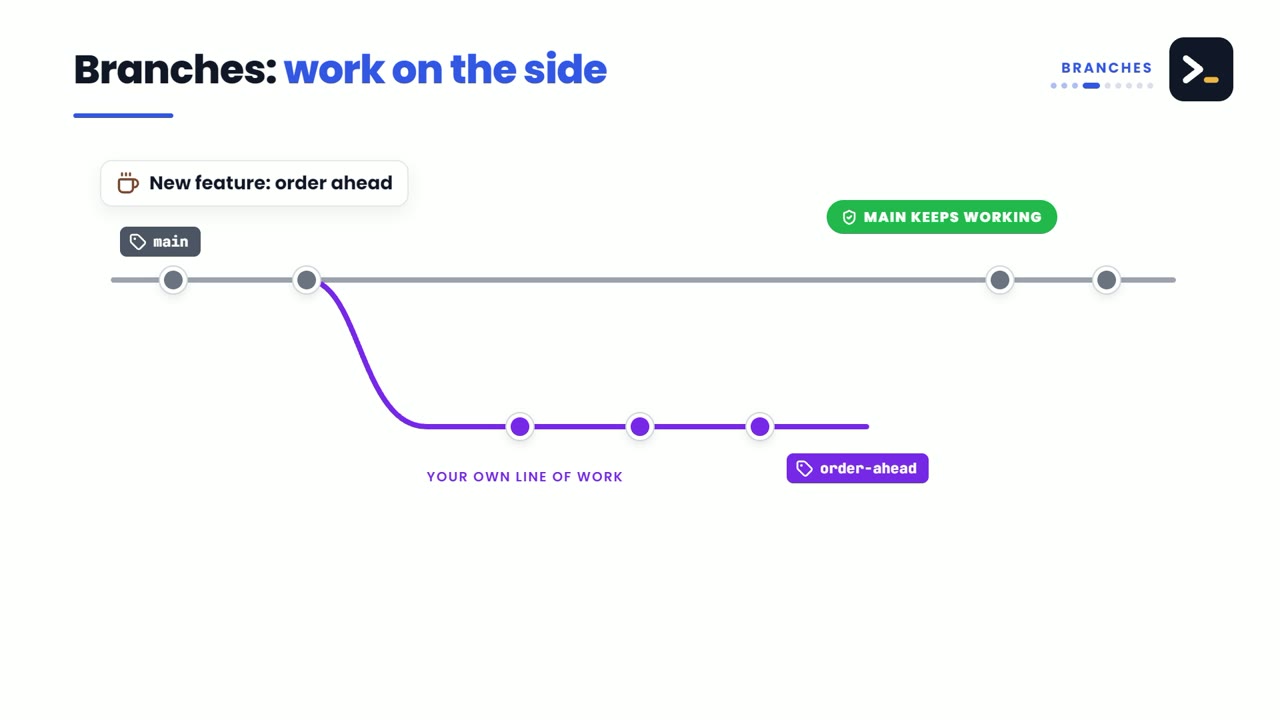
Now, say you want to add a new feature. Order ahead for the coffee app. But the main version of the app has to keep working while you build it.
That's what branches are for. A branch is your own line of work that splits off from the main one.
You can make as many commits as you want on your branch, and the main version doesn't change at all.
The main line is usually just called main. Your branch gets a name too, like order-ahead.
Branches are cheap
Branches in Git are cheap. They don't copy the whole project. A branch is basically just a label that points at a commit.
So teams create them all the time. One branch per feature, per bug fix, per experiment. If the idea doesn't work out, you just delete the branch.
Merging brings it back
When your feature is done, you want it back in main. That's called merging.
Git looks at what changed on your branch, and what changed on main since you split off. Most of the time, those changes are in different places, and Git combines them automatically.
A merge conflict is just a question
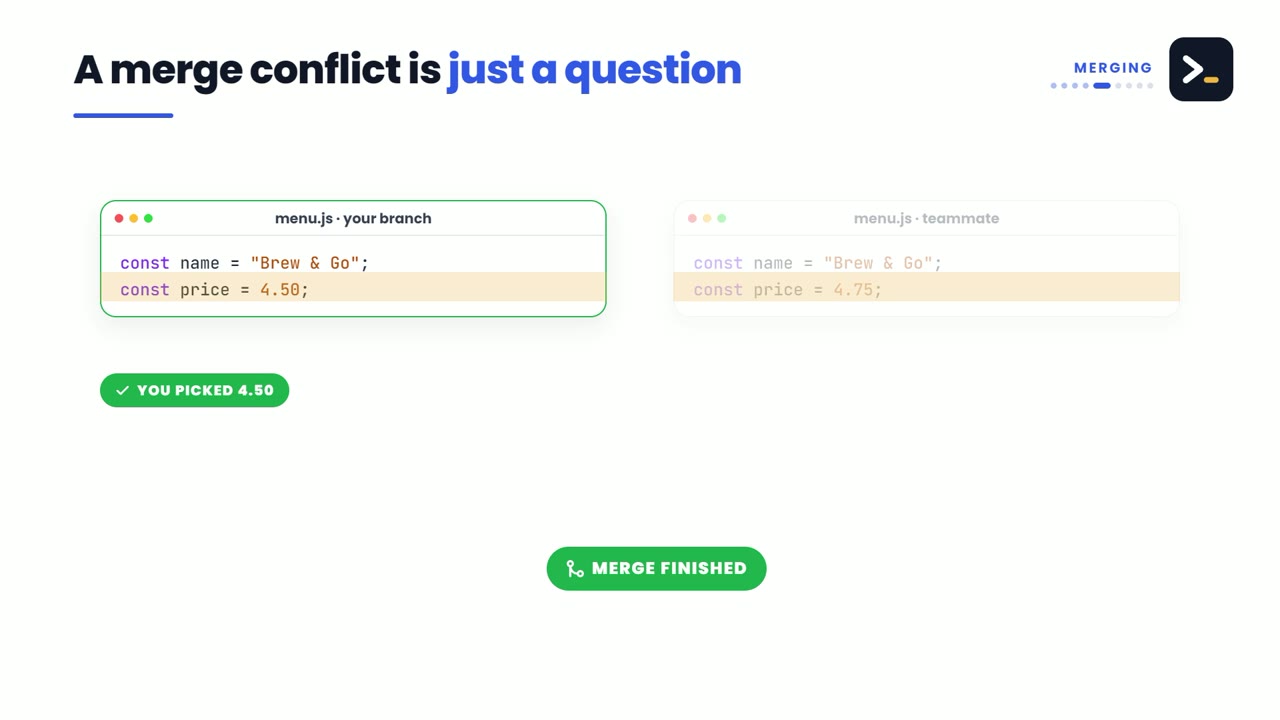
But sometimes two people change the same line in the same file. Say you changed the coffee price to four fifty, and a teammate changed the same line to four seventy-five.
Git can't guess which one is right. That's a merge conflict.
A merge conflict sounds scary, but it's really just Git asking a question.
It shows you both versions side by side, and lets a person decide. You pick the right one, save it, and finish the merge.
Local and remote
So far, everything has been happening on your own computer. That's your local copy of the project, with its full history.
But your team needs to share. So there's also a remote copy, usually on a site like GitHub or GitLab. Think of it as the shared copy everyone works from.
There are three words you'll hear all the time.
Clone means downloading the whole project from the remote to your computer for the first time.
Push means sending your new commits up to the remote.
And pull means bringing down the commits your teammates pushed.
So the daily rhythm looks like this. Pull the latest changes. Do your work. Commit. Push.
Pull requests
On a real team, you usually don't merge your own branch straight into main. Instead, you open a pull request.
A pull request says, here are my changes. Can someone check them before they go into main?
A teammate reads the code, leaves comments, and approves it. Automated tests run on it too. Only then does it get merged.
Technically, pull requests aren't part of Git itself. They're a feature of sites like GitHub. But they're where Git and teamwork meet, and almost every team uses them.
Git is your safety net
One more thing, because a lot of people now write code with AI tools.
AI can change a lot of files very quickly. Sometimes the change is great. Sometimes it quietly breaks something that used to work. Git is your safety net.
So commit often. Before you ask the AI for a big change, commit what you have. If the result is bad, you can go straight back to the last good snapshot.
And try bigger AI experiments on a separate branch, so main stays safe.
Putting it all together
So let's put it together. A commit is a snapshot with a message. Commits form a history you can always go back through.
Branches let you work safely on the side. Merging brings the work back together, and a conflict is just Git asking you to choose.
Push and pull keep your computer in sync with the team's copy. And pull requests are how teams review changes before they go into main.
That’s Git
That's Git. Not a list of scary commands. Just snapshots, branches and merges.