 Video premieres Dec 3
“It works on my machine”
Here's a sentence every developer has said at least once. It works on my machine.
The coffee app runs perfectly on your laptop. Then it goes to the server, and it crashes.
Why? Your laptop has one version of Node. The server has another. A library is missing. A setting is different.
The code is the same. Everything around it is different.
Ship everything it needs
Docker fixes this. Instead of shipping just your code, you ship your code together with everything it needs to run.
The same box runs on your laptop, on the test server, and in production. So it works the same way everywhere.
The box is an image
That box is called an image.
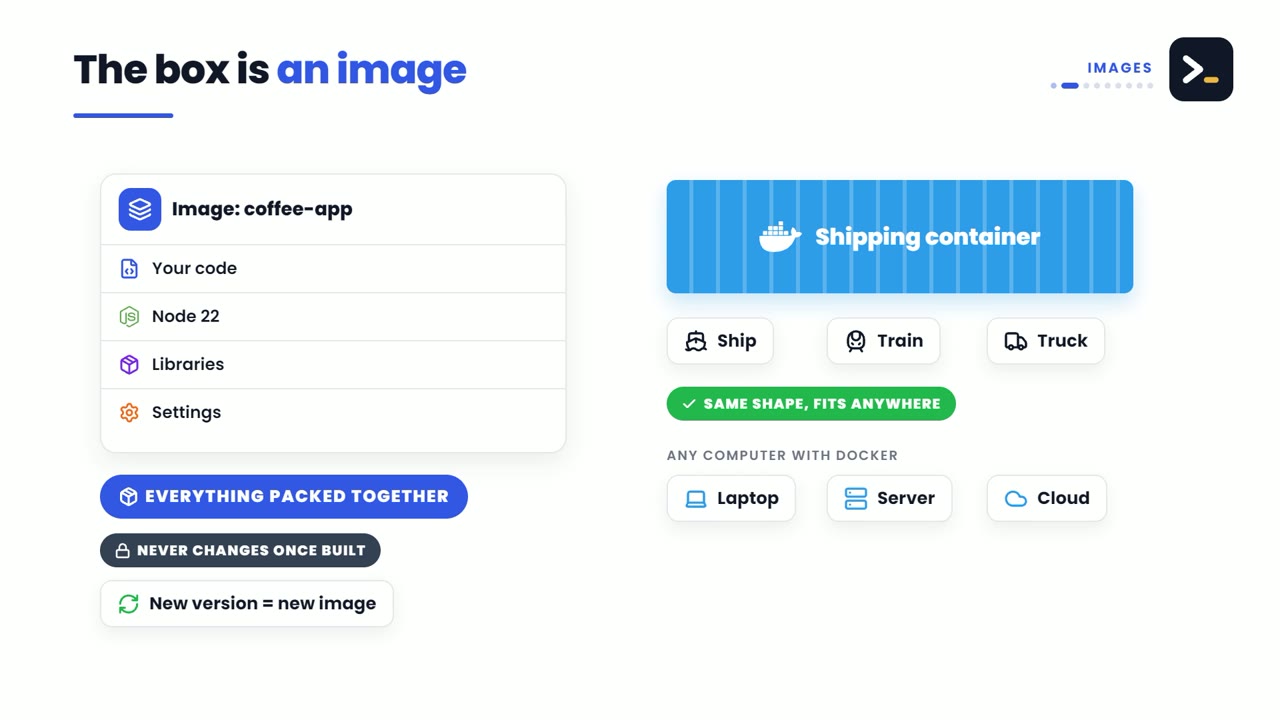
An image holds your app's code, the right version of Node, the libraries it uses, and the settings. Everything packed together.
Think of a shipping container. The ship doesn't care what's inside. Every container is the same shape, so it fits on any ship, train or truck.
An image works the same way. Any computer that has Docker can run it.
And an image doesn't change once it's built. If you want a new version, you build a new image.
The recipe: a Dockerfile
So how do you make an image? You write a short recipe called a Dockerfile.
It's just a text file with a few steps. Start from an image that already has Node. Copy in your code. Install the libraries. And say which command starts the app.
Then you run one command, docker build, and Docker follows the recipe and gives you the image.
Docker builds it in layers, one for each step. If you only change your code, it reuses the layers that didn't change. So the next build is much faster.
A container is a running copy
Now, an image just sits there. To actually run it, you start a container.
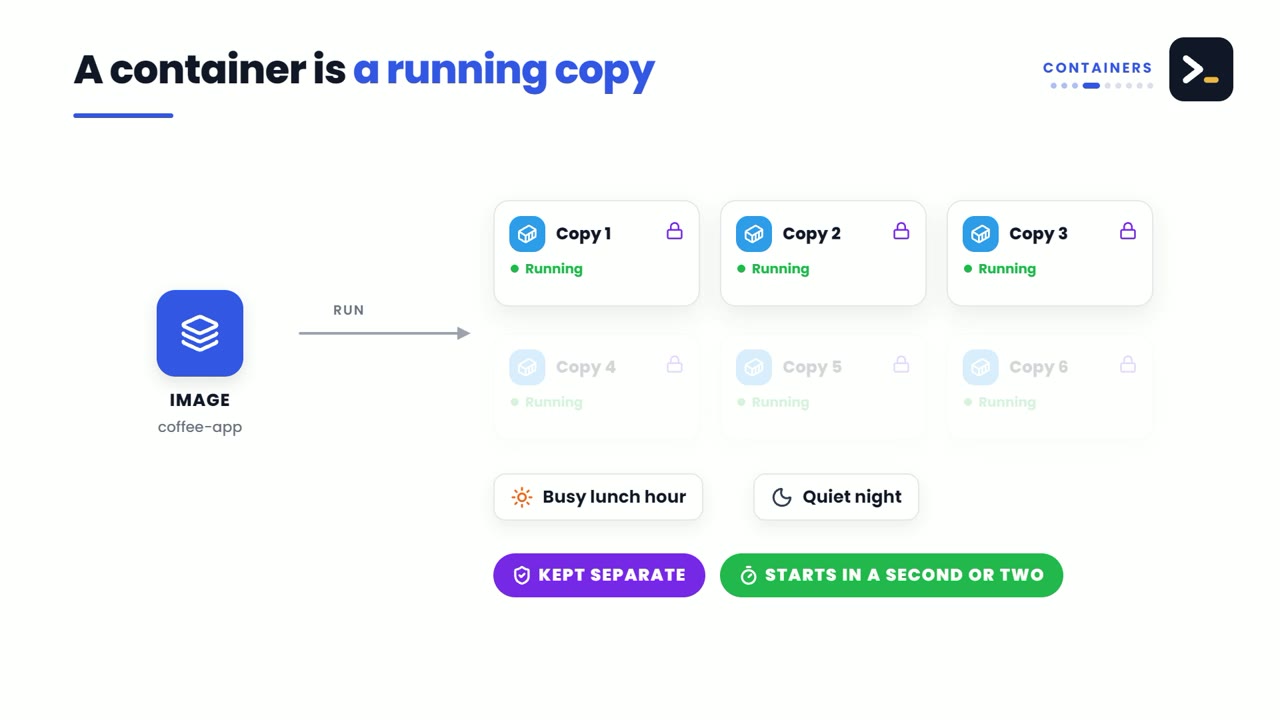
A container is a running copy of an image. And from one image, you can start as many containers as you need.
Busy lunch hour? Start three more copies of the coffee app. Quiet night? Stop them.
Each container is kept separate. It has its own files and its own space, so one container can't mess up another.
And containers start fast, usually in a second or two.
Containers vs virtual machines
You might be thinking, isn't that just a virtual machine?
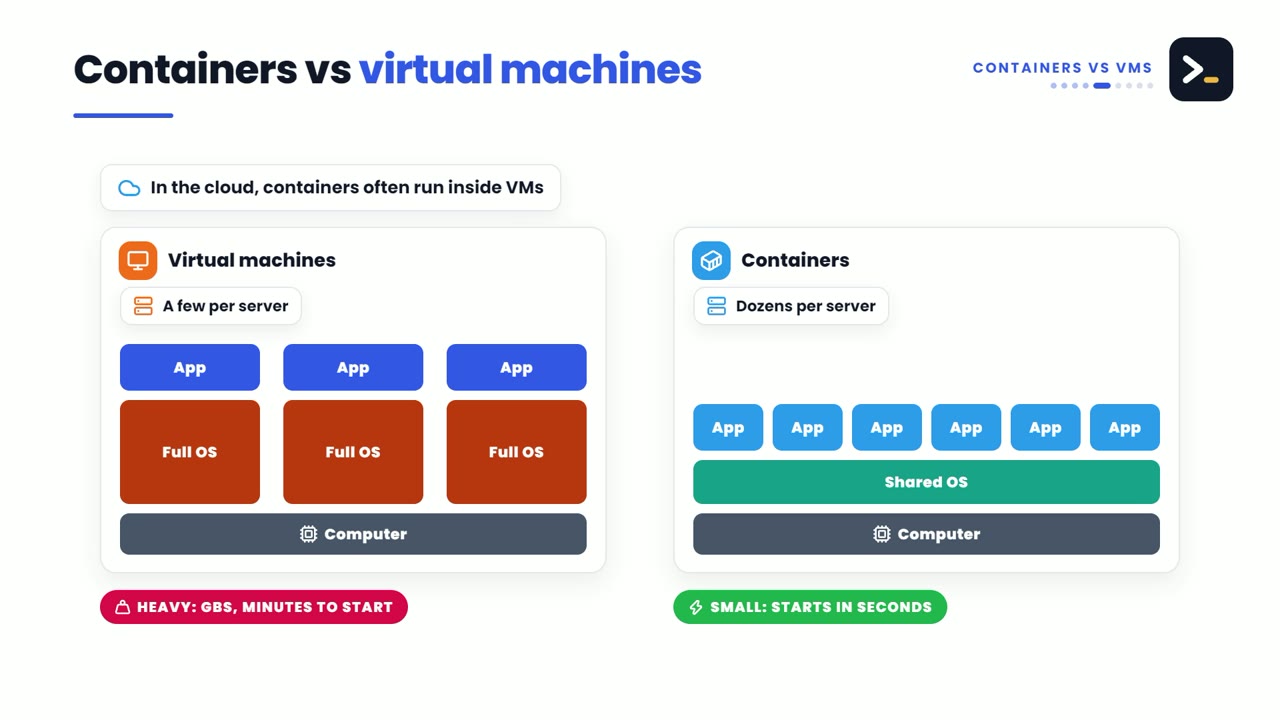
Not quite. A virtual machine pretends to be a whole computer. Each one carries its own full operating system. That's heavy. Gigabytes in size, and often minutes to start.
Containers share the operating system of the computer they run on. Each one only carries the app and what it needs. So they're small, and they start in seconds.
That's why one server can run dozens of containers, where it could only run a few virtual machines.
Virtual machines still have their place. In fact, lots of containers run inside virtual machines in the cloud.
Sharing images: registries
Now you have an image on your laptop. How does it get to the server?
You push it to a registry. A registry is a place that stores images, like Docker Hub, or the container registry on GitHub.
If that sounds like Git, it is. Git pushes and pulls code. Docker pushes and pulls images.
The server just pulls the image and runs it. Nothing to install, nothing to set up by hand.
And remember the pipeline from the DevOps video? That's usually where this happens. Every change gets built into an image, tested, and pushed automatically.
Many containers: Docker Compose
Real apps are rarely just one container. The coffee app also needs a database for orders, and a cache to keep the menu fast.
You could start each one by hand. But there's an easier way. It's called Docker Compose.
You write one file that lists everything. The app, the database, the cache, and how they connect.
Then one command, docker compose up, starts all of them together. A new teammate can have the whole app running in minutes.
A safe sandbox for AI tools
One more thing, because a lot of people now build with AI tools.
AI coding tools don't just write code anymore. Some of them run commands, install things, and change files on your computer.
Running them inside a container gives them a safe sandbox. They can do what they need in there, and your own computer stays untouched.
If something goes wrong, you throw the container away and start a fresh one.
Putting it all together
So let's put it together. A Dockerfile is the recipe. An image is the packed box with everything inside.
A container is a running copy of that image. Containers are lighter than virtual machines, because they share the operating system.
Registries store and share images. And Docker Compose starts a whole app with one command.
That’s Docker
And when you have hundreds of containers across many servers, that's where tools like Kubernetes come in. But that's a video for another day.
That's Docker. Pack it once. Run it anywhere.